 Countdowns & memories for iPhone
Every day countswith Mochi
Trips to look forward to, anniversaries, the day your pet came home. PawDays keeps count of them all, with a little companion who cheers when the day arrives.
Coming soon to the App StorePick yourlittle friend
Five companions, each with a personality. One of them is yours, free.
Cool and a little aloof. She’d never admit she’s counting with you, but she never misses a day.
Hang your memorieson the line
Add photos to any day and they clip themselves to the date they were taken, on a line that runs from the first day to the next milestone.
 Today
Today Tap a photo to see it big
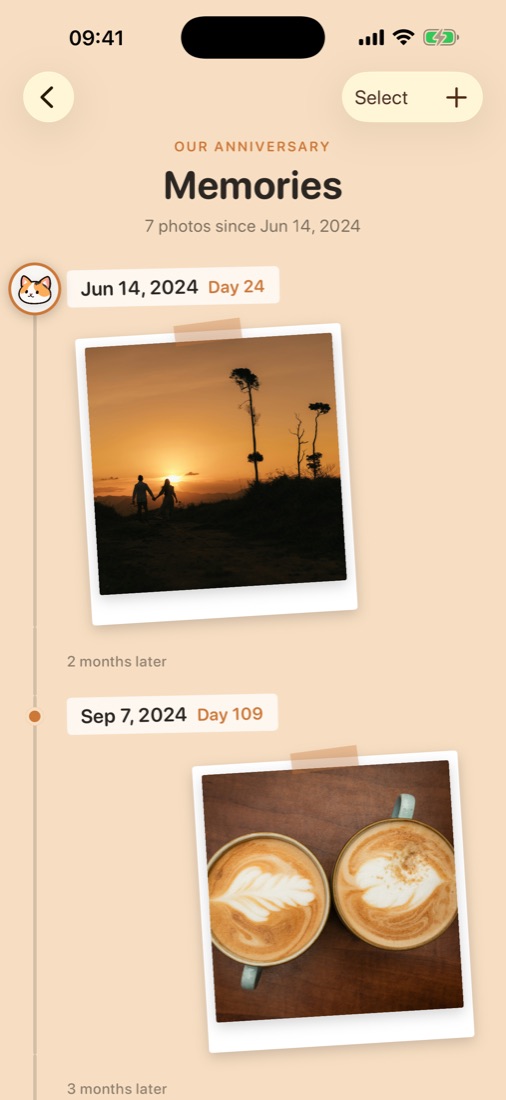
Walk back throughevery moment
Every photo in order along a little trail, with how many days it had been. Tap one to see it big.
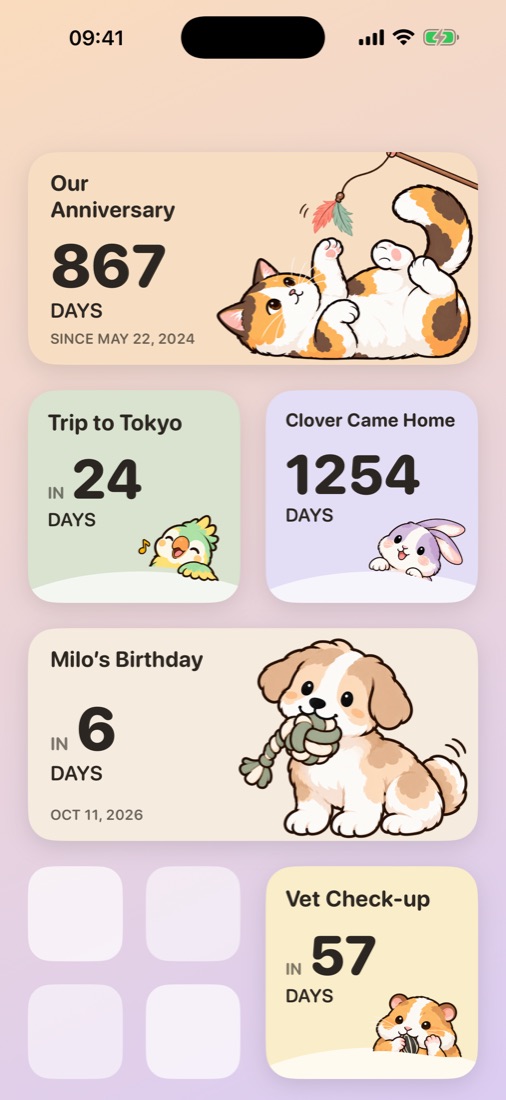
Right on yourHome Screen
Small and medium widgets with your companion, so the count is there every time you pick up your phone.
See how PawDayscounts with you
And a fewmore things to love

Milestones get a party
Day 100, the first anniversary, the big day itself. Your companion is there to celebrate.

Three ways to count
Count down to a day ahead, count up from a start, or celebrate the same date every year.

Gentle reminders
A nudge on the day, or a day, a week or a month before. You choose for each day.
Free to start.Yours to keep.
Everything is a one-time purchase. Never a subscription.
Free
- One companion of your choice
- Every kind of day, as many as you like
- Widgets and reminders
- Photos on one day
A new friend
- Add any companion you like
- Yours for good
PawDays Plus
- Every companion, including future ones
- Photos on every day, no limit
- Counts what you’ve already bought
🔒 Your days stay on your iPhone
No account to make, no ads, no tracking. Your days and photos are stored on your device and never sent anywhere.
Questions
Is it a subscription?
No. PawDays is free to start, and everything else is a one-time purchase.
Which devices does it work on?
iPhone with iOS 18 or later. It also runs on iPad in iPhone mode.
Where are my days stored?
Only on your iPhone. They are part of your iPhone’s iCloud or computer backup, so they come along when you set up a new iPhone from a backup. Deleting the app deletes them.
I have a new iPhone. How do I get my purchases back?
Open Settings in PawDays and tap Restore Purchases, signed in with the same Apple Account.
Which languages are there?
English, 繁體中文, 简体中文, 日本語 and 한국어.
Your next special dayis waiting
Pick a companion and start counting.
Coming soon to the App Store